On this page
Star History Monthly June 2026 | Terminal UI
Last month's standalone markdown editors made a brief stop in the terminal — Glow rendering markdown where developers already live. This month we stay there and ask a bigger question: what happens when the terminal stops being the place you run a command and becomes the place you do the work you used to open an app for?
The answer is a quiet defection. For several of the most common jobs a developer does every day, a keyboard-driven terminal UI has become the default tool — not a scrappy alternative to the graphical client, but the thing that replaced it. The clearest tell is the star counts: lazygit, a git client that runs in your terminal, out-stars the GUI git clients it competes with by a wide margin.
So this month we line up five TUIs, one per job, each of which displaced a graphical incumbent. They span Go, Rust, and C++, and every one shipped a release this spring — this is a category in active motion, not a novelty that peaked.
The lineup
One terminal app per job, laid out roughly in the order a developer's day flows — and next to each, the graphical tool it stands in for. The first five have already won their category; the last two are challengers just now making the jump.
| Project | Stars | Replaces | Language | Latest release |
|---|---|---|---|---|
| yazi | ~39.3K | Graphical file managers | Rust | v26.5.6 · May 5, 2026 |
| lazygit | ~79.2K | GUI git clients | Go | v0.62.2 · Jun 4, 2026 |
| lazydocker | ~51.3K | Docker Desktop dashboard | Go | v0.25.2 · Apr 19, 2026 |
| k9s | ~34.0K | Kubernetes Dashboard / Lens | Go | v0.51.0 · Jun 6, 2026 |
| btop | ~32.8K | Activity Monitor / Task Manager | C++ | v1.4.7 · May 1, 2026 |
| pgtui | ~0.3K | pgAdmin / DBeaver / TablePlus (emerging) | Go | v0.3.0 · Jun 12, 2026 |
| Slumber | ~1.2K | Postman / Insomnia (emerging) | Rust | v5.3.0 · May 16, 2026 |
Files - yazi
🔗 https://github.com/sxyazi/yazi
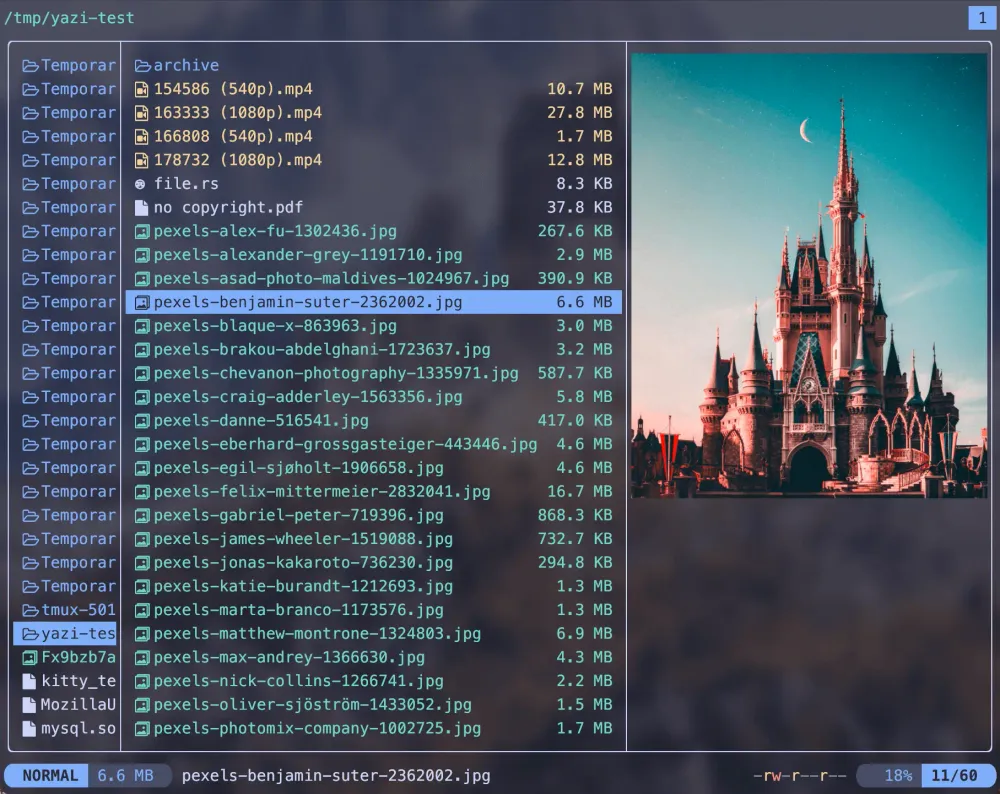
yazi is the youngest app in the lineup and the steepest curve — a file manager written in Rust, built on the Ratatui framework, that leans hard on async I/O for a "blazing fast" feel. Image and document previews, plugin support, and tight integration with tools like fzf and ripgrep make it a genuine alternative to a graphical file browser, not just a prettier ls.
Created in mid-2023, it's already passed 39K stars — the clearest sign that the GUI-defection pattern is still recruiting new categories, not just coasting on the tools that started it.
Why it exists
- To make file management fast, previewable, and keyboard-driven in the terminal
- To use async I/O and a plugin system for a responsive, extensible experience
Tradeoffs
- A younger project with a faster-moving feature surface
- Previews and integrations depend on external tools being installed
Best for: developers who want a fast, modern file manager that never leaves the keyboard.
Git - lazygit
🔗 https://github.com/jesseduffield/lazygit
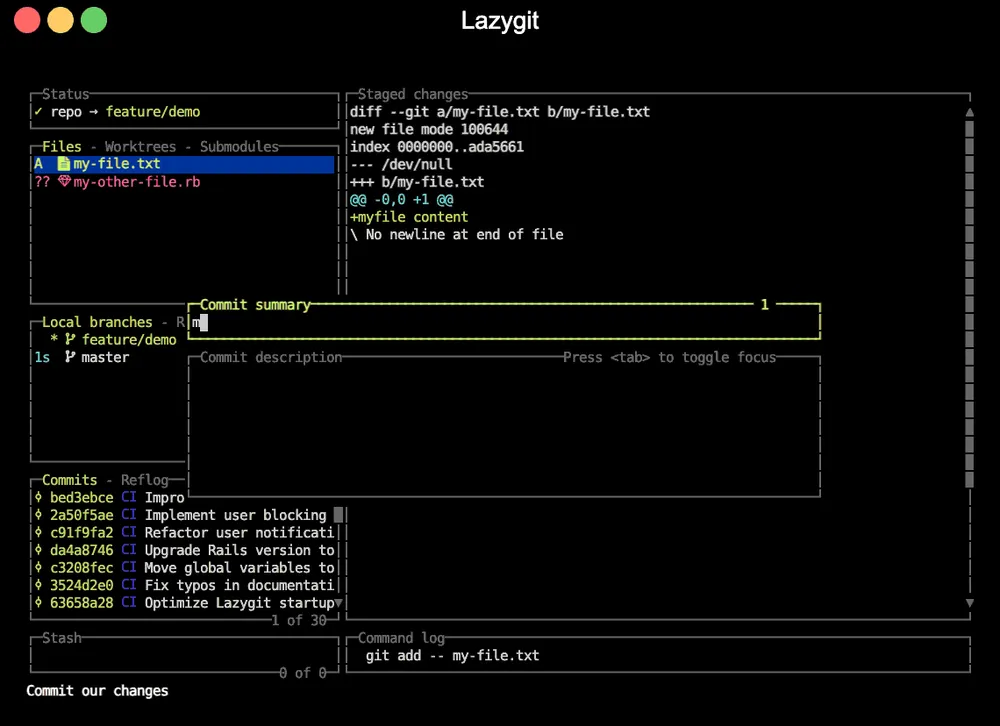
The defection's poster child. lazygit is a keyboard-driven interface for git — stage hunks, craft commits, branch, stash, and run interactive rebases without typing a single git subcommand — and at nearly 80,000 stars it out-stars almost every graphical git client on GitHub. That's the whole thesis of this roundup in one number: a job people used to reach for GitKraken or SourceTree to do, done faster in the terminal, and the audience voted.
Its curve is the steady-climb kind — no single viral spike, just relentless accumulation as it became the default recommendation in dotfiles and "set up your terminal" guides everywhere. It's the most-starred project in the lineup and the one that proved a TUI could win a job outright.
Why it exists
- To make everyday git fast and visual without leaving the terminal
- To turn intimidating operations like interactive rebase into a few keystrokes
Tradeoffs
- You adopt its workflow and keybindings; the casual visit is punishing
- Still a layer over git — power users sometimes drop back to the raw CLI
Best for: anyone who does git all day and would rather never context-switch to a browser tab or desktop app to do it.
Containers - lazydocker
🔗 https://github.com/jesseduffield/lazydocker
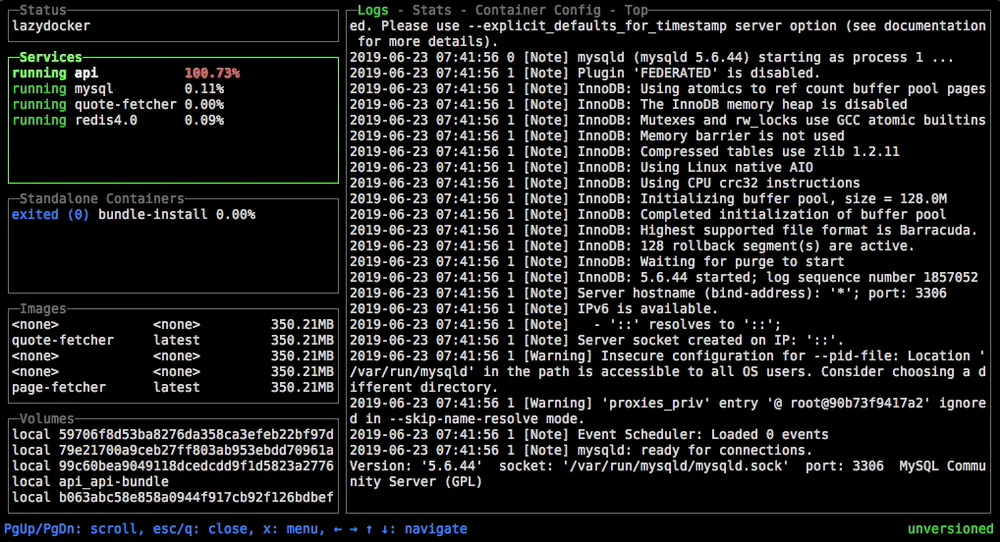
Same author, same playbook, different domain. lazydocker (from Jesse Duffield, who also built lazygit) puts containers, images, volumes, and logs behind a single keyboard-driven dashboard — the things you'd otherwise click through Docker Desktop or stitch together from docker ps, docker logs, and docker stats. As Docker Desktop's licensing pushed some teams to look elsewhere, a free terminal dashboard found a ready audience.
At ~51K stars it's the second-most-starred app here, and its curve tracks lazygit's: a durable, GUI-replacing tool rather than a flash in the pan.
Why it exists
- To manage Docker — containers, logs, stats — from one terminal view
- To replace a sprawl of
dockersubcommands with a navigable UI
Tradeoffs
- A monitoring-and-management view, not a full replacement for the Docker CLI
- Tied to the Docker world rather than the broader container ecosystem
Best for: developers who want an at-a-glance container dashboard without a desktop app.
Kubernetes - k9s
🔗 https://github.com/derailed/k9s
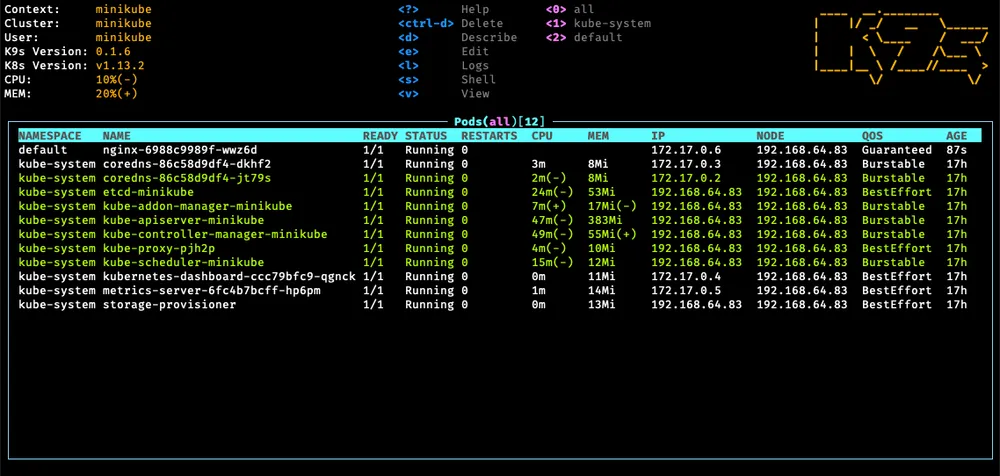
k9s is the defection reaching the cluster. It gives you a live, navigable view of Kubernetes resources — pods, deployments, services, logs — that updates as the cluster changes, standing in for the web-based Kubernetes Dashboard or a desktop tool like Lens. For anyone who lives in kubectl, it turns a stream of typed queries into a browsable, real-time interface.
At ~34K stars with a release cadence that hasn't let up (v0.51.0 shipped on June 6), it's the proof that terminal UIs scale up to infrastructure work, not just local developer chores.
Why it exists
- To navigate and manage Kubernetes clusters in real time from the terminal
- To replace repetitive
kubectlinvocations with a live, browsable view
Tradeoffs
- A read-and-operate cockpit; complex changes still go through manifests
- A learning curve mapping its views onto Kubernetes concepts
Best for: operators and developers who manage clusters and want a live cockpit instead of typing
kubectlall day.
System Monitoring - btop
🔗 https://github.com/aristocratos/btop
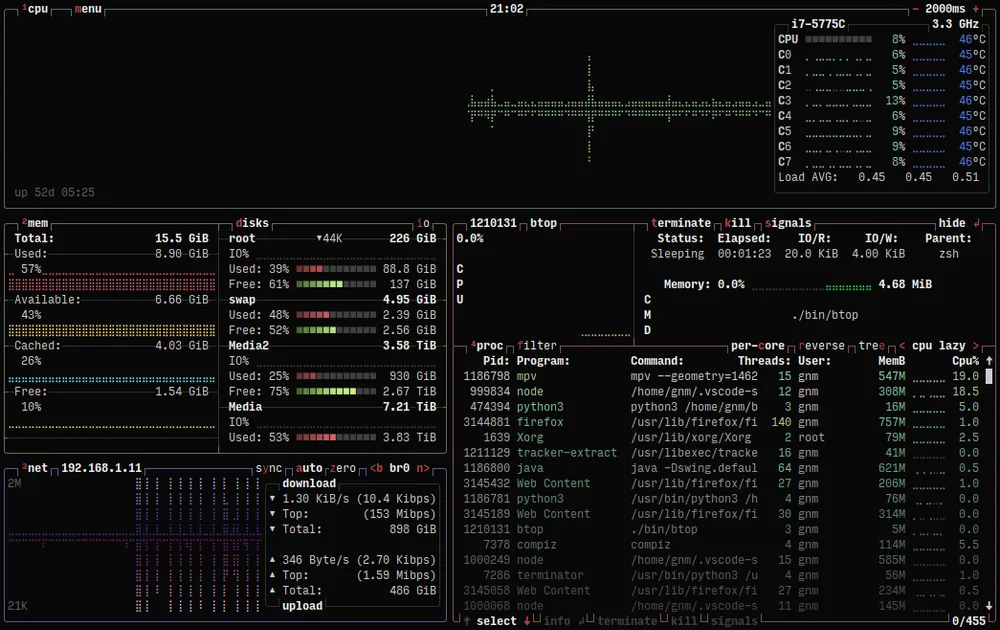
btop closes out the winners where the GUI defection is oldest: the system monitor. Written in C++, it renders CPU, memory, disk, network, and process information as a dense, colorful, mouse-and-keyboard dashboard — the terminal answer to Activity Monitor, Task Manager, or GNOME System Monitor. It's the spiritual successor to a long line of *top tools, and the most polished of them.
At ~33K stars it caps a run of five winners that each cleared 32K — a reminder that "watch the machine" was one of the first jobs to move into the terminal and never moved back.
Why it exists
- To present rich, real-time system metrics in a single terminal dashboard
- To modernize the classic
top/htoplineage with a denser, prettier UI
Tradeoffs
- Monitoring only — it shows you the system, it doesn't manage it
- A heavier visual footprint than minimalist monitors
Best for: anyone who wants a good-looking, information-dense system monitor without opening a GUI.
Postgres - pgtui
The pattern isn't finished. The five above already won their categories; the last two are still climbing — jobs where the terminal is only now making its move, starting with the database.
🔗 https://github.com/pgplex/pgtui
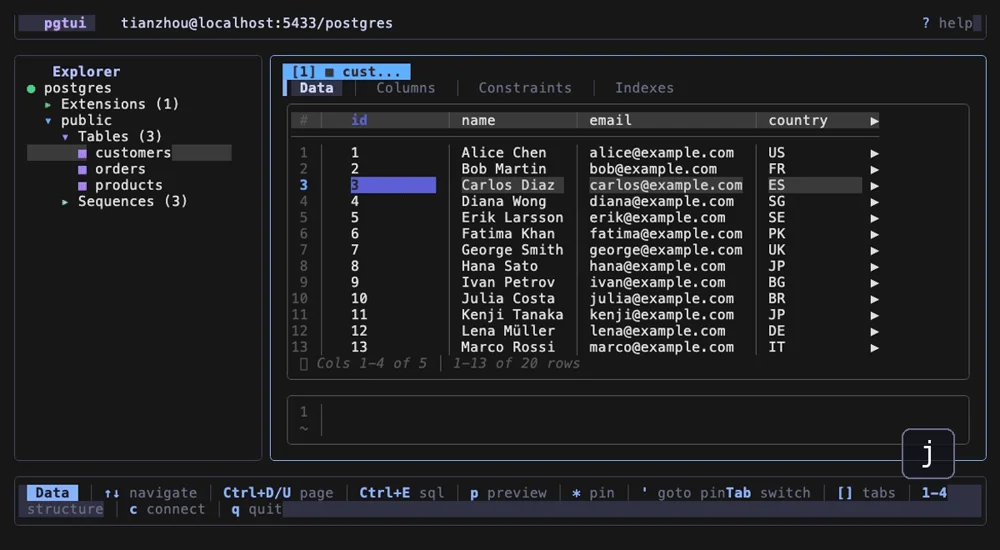
pgtui is a terminal client for PostgreSQL — browse the schema tree, page through tables, filter rows, inspect JSONB, and run SQL from a built-in editor — aimed at the workflow people usually open pgAdmin, DBeaver, or TablePlus to do. It's written in Go on the Bubble Tea framework, and it wears its lineage on its sleeve: the README's pitch is "inspired by lazygit, built for developers who live in the terminal." That's the poster child of this roundup spawning a direct descendant into a new category.
At ~264 stars on a young v0.3 line (v0.3.0 shipped June 12) it's the smallest project here — far too early to call against incumbents as entrenched as pgAdmin. But it's the clearest evidence that lazygit didn't just win git; it became a template other developers now copy, job by job.
Why it exists
- To browse and query PostgreSQL without leaving the terminal
- To bring lazygit's keyboard-driven, single-screen feel to the database
Tradeoffs
- Very early-stage; nowhere near the feature depth of pgAdmin or DBeaver
- PostgreSQL-only, and focused on browsing and quick queries over heavy admin
Best for: developers who live in the terminal and want a fast, Vim-friendly way to poke at their Postgres database.
API Clients - Slumber
The other frontier is the API client — the home turf of Postman and Insomnia, both graphical, both increasingly heavy, both nudging users toward accounts and cloud sync. It's the most GUI-anchored workflow on this list, which makes it the most interesting one to watch move.
🔗 https://github.com/LucasPickering/slumber
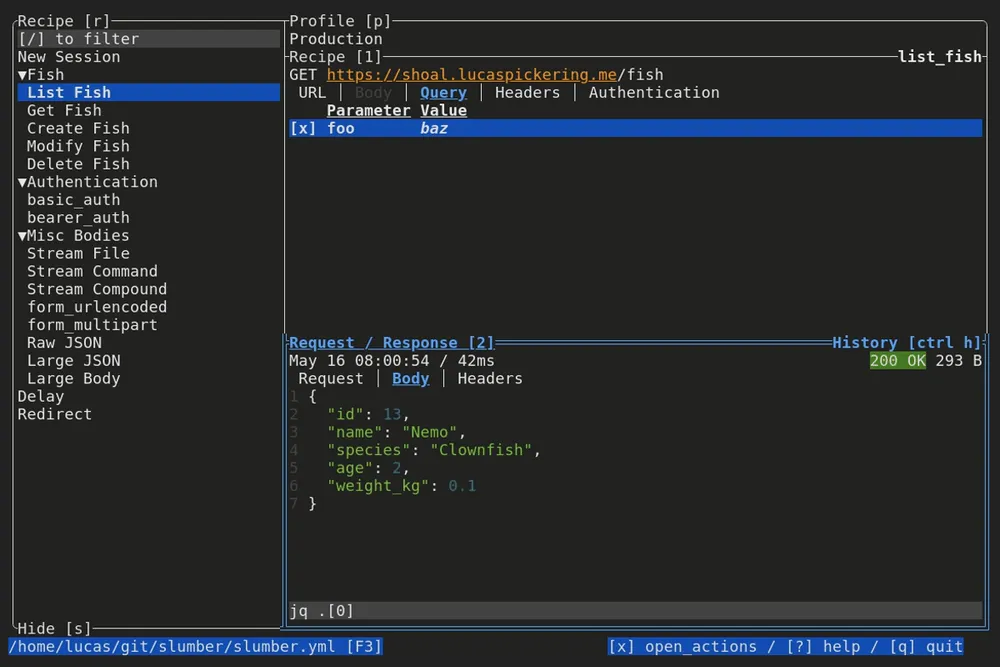
Slumber is the clearest example of what this defection looks like when it's about more than the surface. It's a terminal-based HTTP client built in Rust on the Ratatui framework — but the pitch isn't just "Postman in your terminal." It's source-first: your requests live in a slumber.yml collection of reusable "recipes" that you check into git like any other code, instead of inside a proprietary app's database. The data is local, the tool is free, and the README states the goal plainly — it will "never be enshittified." For developers who've watched API clients drift toward logins and paywalls, that's the whole appeal.
It backs the philosophy with range: usable as a TUI, a plain CLI, or a Python package; templating that builds requests from other requests, files, and shell commands; JSONPath response browsing; profile-based environments; and a one-step import from Insomnia. At ~1.2K stars it's tiny next to the giants above and too early to plot against them — but it's on a steady v5 line with near-monthly releases, and it's aimed squarely at the kind of GUI-heavy workflow this whole roundup is about.
Why it exists
- To make HTTP requests source-first — version-controlled, local, and free
- To offer one tool that works as a TUI, a CLI, and a Python package
Tradeoffs
- Early-stage and small; nowhere near Postman's feature breadth or ecosystem
- YAML-and-templates configuration is a different model than a point-and-click client
Best for: developers who want their API requests to live in git alongside the code, with no account and no cloud.
A companion worth watching is Posting (darrenburns/posting, ~12K stars, built on the Textual framework) — the same bet from the Python side. Between them, the terminal is coming for one of the last big GUI-anchored workflows on the developer's desk. If the pattern holds, one of these ends up on a chart like the one at the top of this post in a year or two.
Closing Thoughts
These five tools, between them, replaced the default interface for five everyday jobs: browse files, commit code, manage containers, drive clusters, watch the machine. The star counts aren't measuring novelty — lazygit out-starring the GUI git clients, each of these five past 32K — they're measuring a real migration. The terminal didn't win on nostalgia; it won on speed, on staying inside one keyboard-driven environment, and on not asking you to leave for a separate app.
It helps that the foundations got good: this wave of apps rides on the modern framework ecosystem — yazi and Slumber on Ratatui, Posting on Textual, pgtui on Bubble Tea — that has made polished terminal UIs far easier to build than the ncurses era ever allowed. The apps are what you notice; the frameworks are why there are so many of them now.
If you're choosing, the question isn't really "GUI or terminal" anymore. For these jobs, the terminal version is the mature option. The only question left is which of your daily tools hasn't made the jump yet.